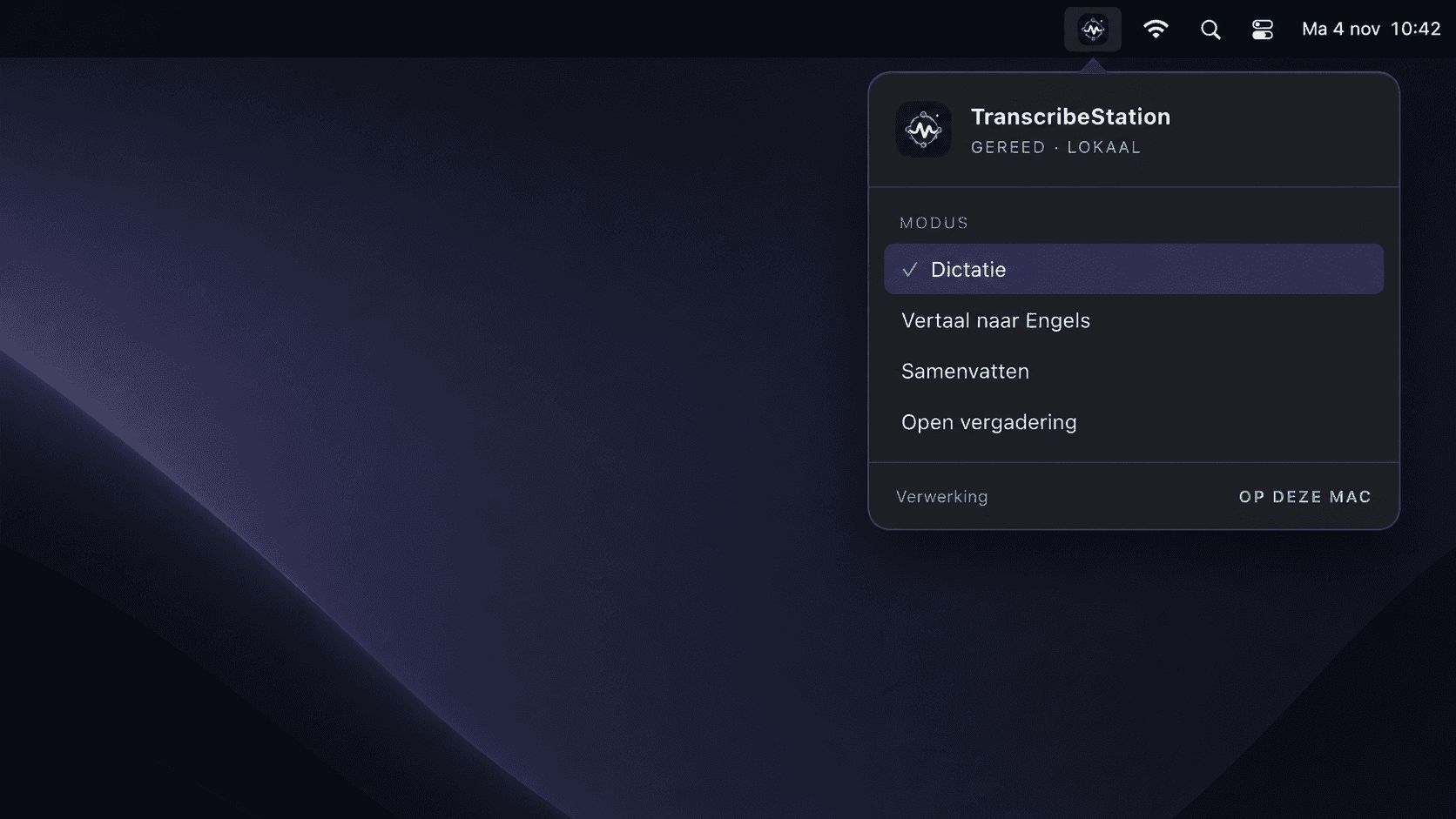
Your workflow,in the menu bar.
Transcribe Desktop is the menu-bar icon and app for people who want the complete without adding hardware.
Technology that stays out of the way.
Select dictation, translation, summarisation or a meeting from the menu bar. Desktop remains available above every application.
Clear at every moment.
No extra hardware
Install the app and use the microphone already available to your Mac.
Above every application
Open the from the menu bar without changing tools.
Local status in view
See immediately where processing takes place and which mode is active.
Your conversation is not training material.
Choose processing on your own hardware or in Operations Labs' private EU cloud. We run and manage the models ourselves. No external AI service receives your content.
Local or private EU cloud
Audio, transcripts, and results stay on the local installation or inside our isolated EU cloud.
No external AI APIs. No training.
We run the models ourselves. Your data is not forwarded, reused, evaluated or retained as training material.
Temporary data deleted immediately
Temporary processing data is removed as soon as the agreed result has been delivered.
From first words to a usable result.
We will show Meet, Dial and Desktop with local processing or our private EU cloud, tailored to your and privacy requirements.